Building in public · July 2026
Trained as a professional actor and storyteller. The editing software is what almost stopped me.
I am trained in performance and story, not timelines and codecs. D'Cut is the film assistant I wished existed: drop the rushes, get a First Cut you can direct. The story behind it, and the four ways to use it.
I am a professionally trained actor and storyteller. Somewhere along the way I fell in love with what happens on the other side of the camera: cinematography, directing, storytelling. I had ideas. I had footage. I had the thing every actor secretly has: a film in my head.
What I didn't have was three years to become a machine operator.
Because that's what modern editing software asks of you. Timelines, tracks, keyframes, codecs, proxy workflows. It is artisanal, manual fabrication. Noble work, real craft, but it means your idea only comes alive if you first become a different craftsperson entirely. I trained in performance and story. The software wanted an operator. Every actor, every writer, every crafter in this business knows that gap: the distance between having the vision and fabricating it.
One day the question landed plainly: what if I had a film assistant to help me create my first cut?
Not a template tool. Not a filter app. An assistant that watches the rushes, understands the story, plans the edit, does the work, and hands me a cut I can react to. That question is why D'Cut exists.
The promise
Upload your raw video files. D'Cut produces your First Cut.
No editing software to learn. No timeline. You direct by conversation: "make the intro tighter," "use the other take for shot two," "keep it under three minutes." The assistant does the editing.
And one thing I insisted on, because I've seen what AI tools ship when nobody's watching: D'Cut checks its own cut before you see it. Seams, duration, coherence. The assistant reviews its work against what you asked for, fixes what's off, and only then hands it over. If it can't get there, it tells you honestly and asks what to trade. You get a cut, not a gamble.
Here's how it works, through the four ways you can use it.
First Cut: drop the rushes, get a film
This is the headline act. You upload your raw footage, the whole card, the good takes and the bad ones. D'Cut watches everything, writes a script from what it saw, builds a shot list, picks takes, assembles the edit, reviews it, and renders your First Cut.
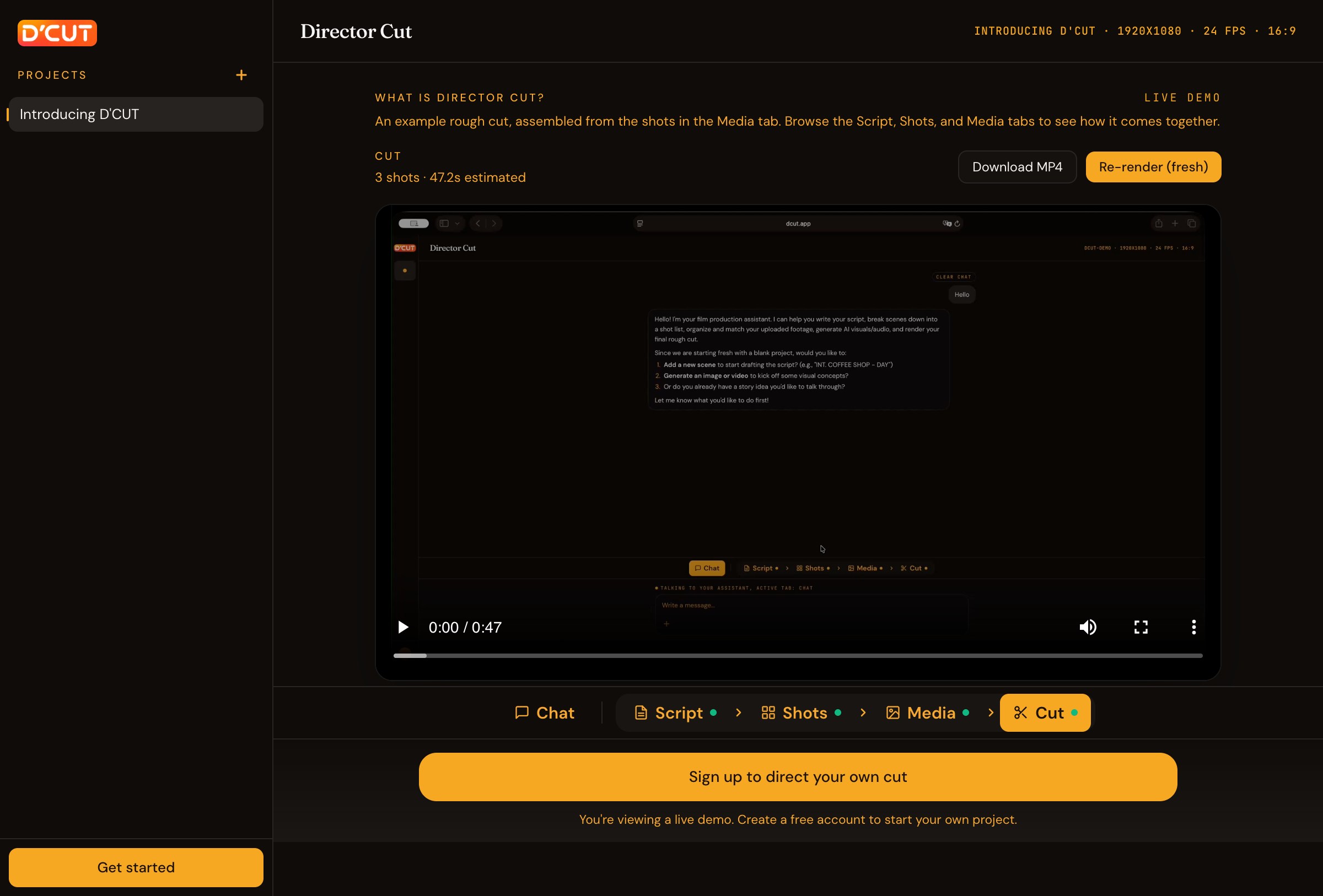
It's called a First Cut because that's exactly what it is. In a real cutting room, the first cut is the editor's first assembly, the version that exists so the director can start directing. That's the deal here too. You won't upload rushes and download Cannes. You'll upload rushes and, a few minutes later, watch a coherent assembly of your material. Then you'll do the thing you actually wanted to do all along: direct it.
Tighten: the clean version of what you already shot
You recorded an interview, a talk, a pitch, a lesson. It's good. It's just wrapped in umms, false starts, and dead air.
Tighten takes one long recording and hands back the clean version: filler words gone, silences trimmed, cuts landing on natural breaths instead of mid-word, audio leveled. Tell it a target, say "under three minutes," and it will cut to the number, telling you exactly what it dropped and why, so you can say "no, keep that part, lose the intro instead."
To be precise about what it is: Tighten removes verbal noise. The umms, the gaps, the fumbles. It won't rescue wind noise or a bad microphone. It makes a clean cut, not a studio.
My favorite part, and the one creators grab fastest: you can edit the video by editing its text. Open the transcript, delete a sentence, and that sentence leaves the film, cut cleanly, on a breath.
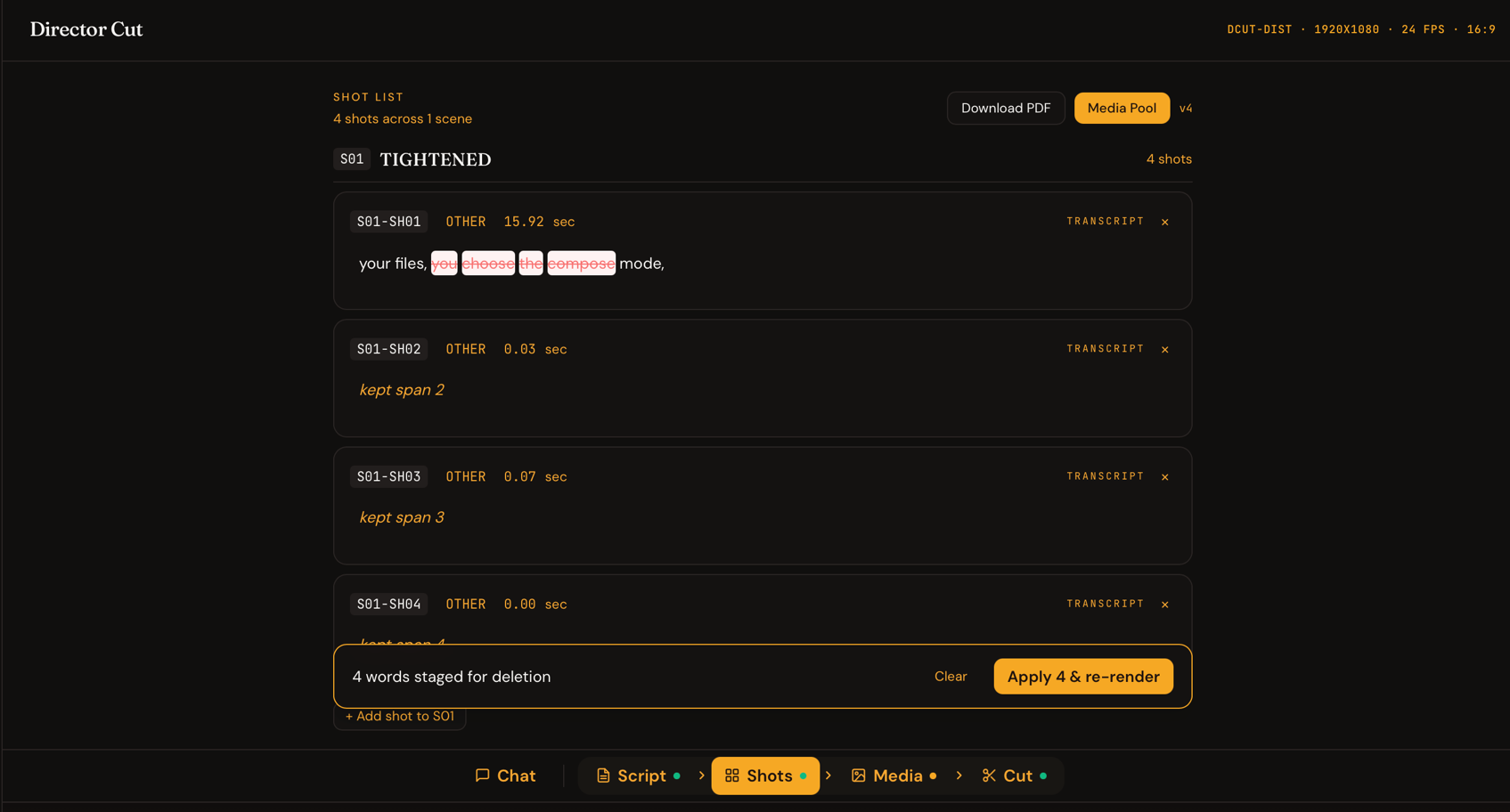
Tighten is also just something you can say. In any project, in plain chat: "tighten this to 2:30." It's a mode and a verb.
Remake: perform the scene as yourself
This one comes straight from the actor's side of my life.
Every actor has scenes they want to perform. For a self-tape, a showreel, a scene study, or just because the scene deserves their version. What you need for that isn't inspiration. It's the scene's structure: the shots, the sizes, the order, the rhythm.
Remake takes a finished video and takes it apart. It rebuilds the script, the shot list, and the cut, so the film becomes a template you can shoot against. You see exactly which shots exist and what each one does. Then you go perform: shoot your own versions, upload them, attach them to the existing shot list, and render. Same film. Your performance.
I don't know of another tool that does this, and I built it because I needed it.
And then there's just... directing
The three modes above are shortcuts, fast doors into a project. But underneath all of them is the thing D'Cut actually is: a place where you direct, in conversation, with a professional assistant doing the work.
Start from nothing. Write the script with the assistant, scene by scene. Generate the shot list: real shots, with sizes and intent. Download that shot list and take it to set. Shoot with real actors. Come back, upload the footage, attach takes to their shots, and trigger the render. Watch your first cut. Give notes. Render again.
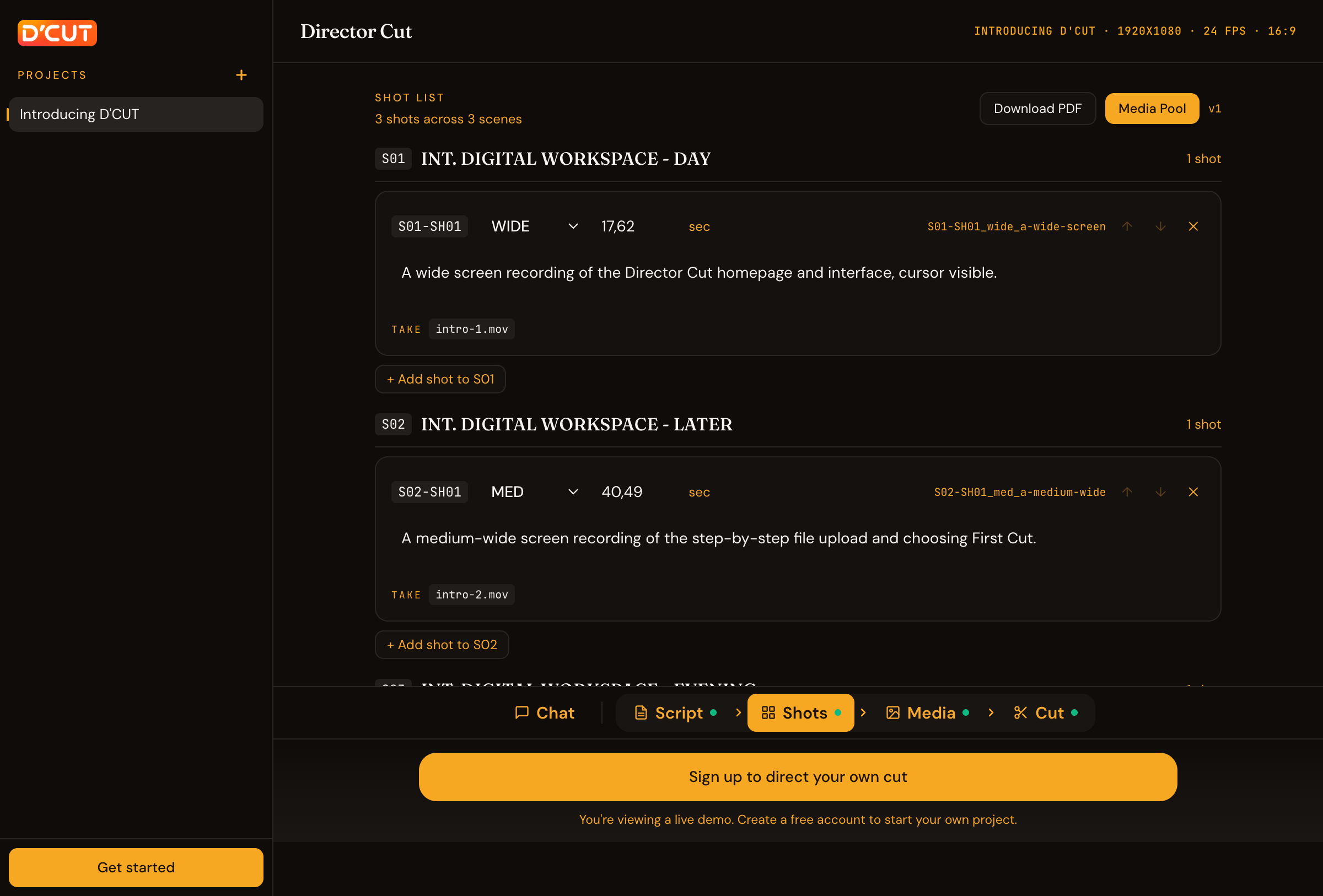
The Director Cut is some iterations away, which is exactly how films get made. The difference is that this time, the iterations are yours to direct, and the fabrication is somebody else's job.
Who this is for
Filmmakers with rushes and no patience for proxy workflows. Actors who want the scene, as themselves, this week. Serious creators who'd rather spend the evening on the next video than on the last one's timeline.
If that's you, the fastest way to know is to look: there's a demo project at dcut.app, a real directed cut you can browse, tabs, transcript, and all, before you sign up for anything.
Drop the rushes. Direct the cut.
You supervise. AI executes.